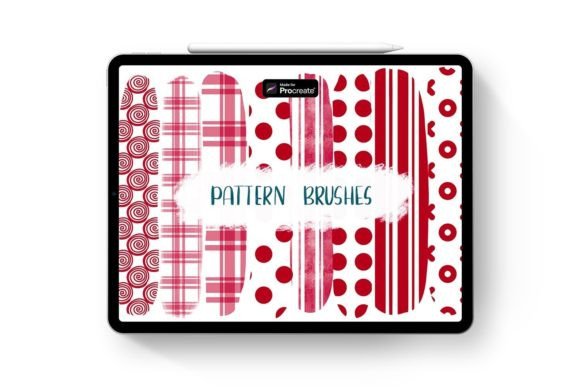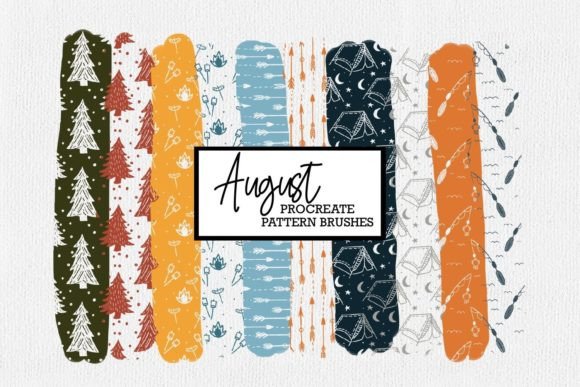
Transforming Digital Art with 16 Pattern Brushes for Procreate
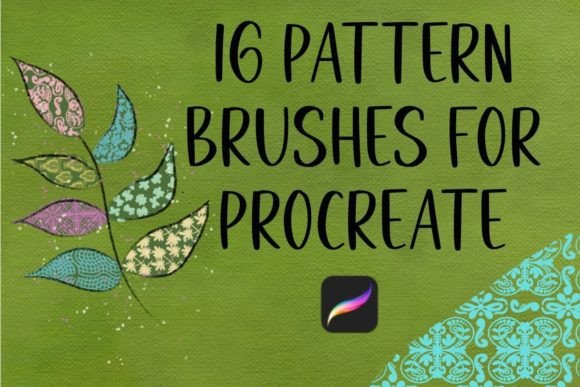
Digital illustration has evolved from a niche hobby into a robust professional field, yet one persistent challenge remains for artists at every level: consistency. Creating seamless, hand-drawn patterns that look organic rather than mechanically repetitive is time-consuming. This is where the 16 Pattern Brushes for Procreate set becomes an invaluable asset. It is not just a collection of digital stamps; it is a toolkit designed to bridge the gap between traditional hand-drawn aesthetics and the efficiency required in modern digital workflows.
These brushes are entirely hand-drawn, ensuring that each stroke retains the imperfections and warmth of analog art. For creators who value authenticity but need to meet tight deadlines, this set offers a practical solution. Because they are opaque and fully resizable, you maintain complete control over the final look, allowing you to layer colors, adjust overlays, and integrate them seamlessly into any project.
Bridging the Gap Between Speed and Authenticity
Many digital artists struggle with the "sterile" look that can sometimes plague vector-based or perfectly symmetrical designs. The 16 Pattern Brushes for Procreate address this by providing textures that feel alive. When you apply these brushes, you are not just filling space; you are adding character. This is particularly crucial for illustrators working on children’s books, greeting cards, or editorial pieces where a warm, inviting tone is essential.
Consider the scenario of a freelance illustrator tasked with creating a series of social media graphics for a lifestyle brand. The client wants a cohesive look that feels handmade but needs the content delivered quickly. Instead of drawing every leaf, dot, or geometric shape individually, the artist can use these pattern brushes to build backgrounds and borders rapidly. The ability to resize and move elements within the Procreate file means that no two applications need to look identical, preserving the hand-crafted illusion while drastically reducing production time.
Practical Applications for Small Business Owners
For entrepreneurs running small businesses, especially those in the print-on-demand sector, visual consistency is key to brand recognition. Whether you are designing tote bags, phone cases, or home decor items, having a library of unique patterns can set your products apart. These brushes are compatible exclusively with Procreate on the iPad with an Apple Pencil, making them ideal for creators who work on the go or prefer a tactile drawing experience.
Imagine a small business owner launching a new line of eco-friendly stationery. They can use the 16 Pattern Brushes for Procreate to create custom wrapping paper designs or notebook covers. Since the brushes are opaque, they can experiment with bold color combinations without worrying about underlying layers showing through unintentionally. This flexibility allows for rapid prototyping of designs, enabling the business owner to test multiple concepts before committing to print.
Enhancing Scrapbooking and Digital Crafting
The rise of digital planning and scrapbooking has created a community of users who crave aesthetic customization. Traditional scrapbooking involves physical stickers and washi tape, but digital crafting offers unlimited undo buttons and layering options. This brush set fits perfectly into this workflow. Users can import the brushes directly into Procreate and start decorating their digital journals immediately.
Hobbyists often spend hours searching for the right decorative elements to frame photos or highlight memories. With these hand-drawn patterns, they can create bespoke frames, dividers, and accents that match their personal style. The fact that these brushes are ready to use upon download removes the technical barrier often associated with creating custom digital assets. It empowers non-artists to produce high-quality, personalized layouts that feel intimate and curated.
Educational and Professional Design Uses
Educators and instructional designers also benefit from having access to versatile visual tools. When creating worksheets, presentations, or educational apps, engaging visuals can significantly improve student retention. The 16 Pattern Brushes for Procreate can be used to create visually appealing headers, bullet points, or background textures that make learning materials more inviting.
For example, a teacher designing a science unit might use organic, nature-inspired patterns from the set to create themed borders for handouts. This subtle design choice can help theme the material without distracting from the content. Similarly, marketing professionals can use these brushes to add texture to email newsletters or blog headers, breaking up text-heavy layouts and guiding the reader’s eye through the content.
What to Consider Before Integrating These Brushes
While the 16 Pattern Brushes for Procreate offer significant advantages, it is important to understand their limitations and best-use scenarios. First, compatibility is strictly limited to Procreate on the iPad. If you primarily work in Photoshop or Illustrator, these brushes will not integrate into your existing workflow. This specificity is actually a strength for Procreate users, as the brushes are optimized for the Apple Pencil’s pressure sensitivity and the app’s engine, ensuring smooth performance.
Secondly, because these brushes are opaque, they behave differently than transparent watercolor or ink brushes. This means they are best suited for solid shapes, bold patterns, and layered designs rather than subtle blending effects. Users should consider this when planning their compositions. However, this opacity is also what makes them so versatile for overlaying on different backgrounds. You can place a black pattern over a bright yellow background, or a white pattern over a dark photo, and it will remain crisp and visible.
Another consideration is the learning curve associated with digital brush management. While the file is ready to import, users should familiarize themselves with Procreate’s brush studio to adjust settings like size, spacing, and rotation if needed. Although the brushes are designed to work well out of the box, tweaking these parameters can help you achieve even more unique results. Taking the time to experiment with these settings can unlock creative possibilities that go beyond the default appearance.
Maximizing Value Through Versatility
The true value of this set lies in its adaptability across different mediums. A single pattern brush can serve multiple purposes depending on how it is applied. In one project, it might be a subtle background texture for a website banner; in another, it could be the main focal point of a poster design. This versatility ensures that the investment pays off over time, as you will find new ways to use the brushes as your skills and projects evolve.
For professional designers, this means building a library of assets that can be reused across client projects, increasing efficiency and profitability. For hobbyists, it means having a reliable tool that enhances creativity without requiring advanced technical skills. The hand-drawn nature of the 16 Pattern Brushes for Procreate ensures that your work maintains a human touch, which is increasingly valued in a digital world saturated with AI-generated and template-based content.
Ultimately, integrating these brushes into your workflow is about more than just saving time. It is about expanding your creative vocabulary. By providing a foundation of high-quality, hand-drawn elements, this set allows you to focus on the bigger picture of your design—composition, color theory, and storytelling—while handling the intricate details with ease. Whether you are illustrating a novel, designing packaging, or journaling your daily thoughts, these tools offer a reliable and inspiring way to bring your vision to life.