Mastering Digital Calligraphy with Pentel Brushes for Procreate
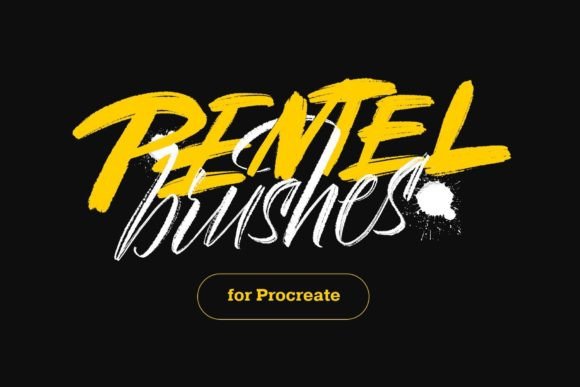
The transition from traditional ink to digital canvas is often hindered by a single, persistent frustration: the loss of tactile authenticity. For artists specializing in lettering and illustration, the friction of nib against paper is not merely a sensory detail; it is the engine of expression. This is where Pentel Brushes for Procreate step in, bridging the gap between physical media and pixel-perfect precision. These tools are not just another addition to your brush library; they are a meticulously crafted response to the need for organic, unpredictable, and deeply expressive lines in a digital environment.
Digital art software has evolved rapidly, yet many standard brushes still feel sterile. They offer uniformity when what the artist craves is character. By focusing on textures that mimic real pointed brush calligraphy, this collection allows users to reclaim the spontaneity of hand-drawn work. Whether you are designing logos, creating social media content, or illustrating children’s books, the right tool can transform a rigid composition into something alive.
The Anatomy of Authentic Texture
What sets these brushes apart is the rigorous attention paid to texture mapping. In traditional calligraphy, a pointed brush does not lay down ink in a solid, flat block of color. Instead, the bristles splay, catch on the tooth of the paper, and leave behind microscopic imperfections. These "flaws" are actually the signatures of humanity in art. The Pentel Brushes for Procreate replicate this behavior by utilizing high-resolution texture stamps that simulate the dry-brush effect, ink pooling, and the subtle fraying of bristle tips.
When you drag the stylus across the screen, the software interprets pressure and tilt just as a physical brush would respond to gravity and force. The result is a stroke that tapers naturally at the ends and swells in the middle, without the artificial smoothness that often plagues digital vectors. This level of fidelity is crucial for artists who want their digital portfolios to stand out in a sea of homogeneous, computer-generated aesthetics. It allows for a raw, energetic quality that resonates with viewers on a subconscious level, reminding them of the hand behind the work.
From Color Brush to Sign Pen: A Versatile Toolkit
Versatility is the hallmark of a professional workflow. You rarely use just one tool for an entire project. This collection includes twelve distinct imitation brushes, ranging from the fluid dynamics of a Color Brush to the sharp, defined edges of a Sign Pen. Each variant serves a specific purpose within the creative process.
- Color Brush: Ideal for broad strokes and background washes, offering a soft, diffused edge that blends seamlessly with other elements.
- Sign Pen: Provides a consistent, bold line weight perfect for headers, outlines, and graphic design elements that require clarity and impact.
- Pointed Brush Variants: These are the core of the set, designed specifically for the nuances of calligraphic scripts, from delicate hairlines to heavy downstrokes.
Having this range at your fingertips means you can switch contexts without leaving your canvas. You might start with a Sign Pen to sketch out a rough layout, switch to a Color Brush for atmospheric depth, and then refine the details with a fine Pointed Brush. This seamless integration supports a non-linear creative process, allowing ideas to flow without technical interruptions.
Unlocking Freedom Through Streamline Settings
One of the most critical aspects of using Pentel Brushes for Procreate effectively is understanding how to manage digital assistance features, particularly streamline. Procreate offers a streamline function that smooths out your strokes, correcting jitters and creating perfectly curved lines. While this is useful for technical drawings or clean vector-style art, it can be detrimental to calligraphy.
Calligraphy thrives on micro-movements and slight irregularities. If you want to achieve more freedom for your lines for any brush, just reduce streamline value to the minimum. By lowering this setting, you allow every tremor, speed change, and pressure variation to register on the canvas. This might seem counterintuitive if you are used to polished digital art, but it is essential for achieving the organic look of real ink.
When streamline is minimized, the brush responds instantly to your hand. Fast strokes become thin and wispy; slow, deliberate movements create thick, saturated pools of virtual ink. This direct correlation between physical gesture and digital output creates a feedback loop that enhances muscle memory. Over time, you develop a deeper connection with the tool, learning exactly how much pressure is needed to achieve a specific line weight. It transforms the iPad from a passive input device into an extension of your arm.
Integrating into Modern Workflows
In today’s fast-paced creative industries, efficiency is paramount. However, efficiency should not come at the cost of quality. These brushes fit seamlessly into modern workflows by reducing the post-production time required to add texture. Traditionally, digital artists might spend hours adding noise overlays, adjusting opacity masks, or manually erasing parts of a stroke to make it look "hand-done." With Pentel Brushes for Procreate, this texture is baked into the brush engine itself.
This immediacy is invaluable for professionals working under tight deadlines. Social media managers can create engaging, hand-lettered quotes in minutes rather than hours. Illustrators can produce rough sketches that are polished enough to present to clients, reducing the number of revision rounds. The ability to toggle between different brush types quickly also supports iterative design, where multiple concepts are explored in rapid succession.
Moreover, these brushes are compatible with the full suite of Procreate’s blending modes and layer styles. You can overlay a Sign Pen stroke with a Multiply blend mode to create deep, rich shadows, or use a Color Brush with Screen mode to add luminous highlights. This flexibility ensures that the brushes do not limit your creative options but rather expand them, allowing for complex compositions that retain a handcrafted feel.
Practical Considerations for Adoption
Before integrating new tools into your arsenal, it is important to consider your hardware and personal style. While Pentel Brushes for Procreate are optimized for performance, the experience can vary depending on the iPad model and the type of screen protector used. A matte screen protector can enhance the tactile sensation, providing friction that mimics paper, which complements the brush textures perfectly. Conversely, a glass screen might feel too slippery, requiring a adjustment in hand pressure.
Additionally, consider your primary use case. If you work exclusively in clean, geometric vector styles, these organic brushes might not be your daily drivers. However, if your work involves any element of handwriting, illustration, or textured design, they are indispensable. It is also worth noting that mastering these brushes requires a shift in mindset. You must embrace imperfection. The beauty of these tools lies in their unpredictability. A stroke that looks slightly "messy" might actually be the most dynamic part of your composition.
For those transitioning from traditional media, there may be a learning curve in adjusting to the lack of physical resistance. Practice exercises focusing on pressure control and speed variation can help bridge this gap. Start with simple shapes and alphabets, gradually moving to more complex ligatures and flourishes. As you become more comfortable with the reduced streamline settings, you will find that your digital lines gain a confidence and vitality that was previously missing.
Elevating Your Digital Artistry
Ultimately, the goal of any digital tool is to disappear, leaving only the artist’s intent visible on the screen. Pentel Brushes for Procreate achieve this by prioritizing the natural behavior of ink and bristle over digital perfection. They invite you to slow down, to feel the weight of your strokes, and to appreciate the subtle variations that make each piece unique.
By incorporating these twelve imitation brushes into your workflow, you are not just downloading a file; you are adopting a philosophy of digital craftsmanship. You are choosing to value the human touch in an increasingly automated world. Whether you are a seasoned calligrapher looking to digitize your portfolio or a beginner eager to explore the depths of Procreate, these tools offer a pathway to more expressive, authentic, and compelling art. The technology is sophisticated, but the result is beautifully, undeniably human.