Oil Pastel Procreate Brushes
Digital art has long struggled to replicate the tactile, gritty satisfaction of traditional media. While vector lines are clean and standard digital brushes are smooth, they often lack the organic imperfection that gives a piece soul. This is where Oil Pastel Procreate Brushes transform your workflow. By bridging the gap between physical texture and digital convenience, these tools allow artists to create work that feels hand-crafted, warm, and authentically human.
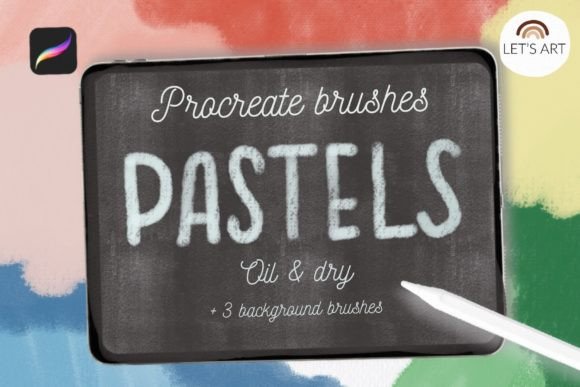
This specific brush set is designed for those who miss the resistance of paper and the blendability of wax-based sticks. It includes five distinct texture pastel brushes and three seamless background brushes featuring pastel paper, craft paper, and watercolor paper textures. Whether you are illustrating children’s books, designing social media graphics, or sketching concept art, this toolkit provides the necessary depth to make your iPad drawings stand out in a saturated digital landscape.
The Power of Texture in Digital Illustration
Texture is not merely an aesthetic choice; it is a communication tool. In traditional art, the grain of the paper interacts with the medium to create visual noise that the eye interprets as reality. When you use Pastel texture brushes for iPad Procreate, you are reintroducing that vital layer of complexity. Flat colors can feel sterile, but when overlaid with the subtle grit of a pastel stroke, the image gains weight and presence.
The five texture pastel brushes included in this set are engineered to mimic the behavior of real oil pastels. They offer varying degrees of opacity, blendability, and grain. This allows for a range of expressive techniques, from soft, atmospheric shading to bold, impasto-style marks. For educators and hobbyists, this means you can teach or learn color theory without the mess of sharpening pencils or dealing with smudged hands. For professional designers, it offers a quick way to add a "hand-made" feel to client projects, making brands appear more approachable and artisanal.
Versatile Applications for Creators and Entrepreneurs
The utility of this brush set extends far beyond simple sketching. Different professionals can adapt these tools to meet specific industry needs:
- Content Creators and Marketers: In a feed dominated by polished, high-gloss photography, pastel-style illustrations stop the scroll. Use the seamless background brushes to create textured backdrops for quotes, product announcements, or Instagram stories. The craft paper texture, in particular, adds a rustic, eco-friendly vibe perfect for sustainable brands.
- Educators and Publishers: Textbooks and educational materials often benefit from a softer visual approach. Pastel illustrations are less intimidating than stark line art and can help explain complex concepts in a friendly, accessible manner. The watercolor paper texture background provides a classic, academic feel that remains engaging.
- Freelance Designers: When working on packaging design or editorial layouts, these brushes can be used to create custom icons, borders, or highlight elements. The ability to toggle between different paper grains ensures that your digital assets match the physical print quality you aim to achieve.
By integrating Oil Pastel Procreate Brushes into your regular toolkit, you diversify your stylistic range. You are no longer limited to one "digital look." Instead, you can pivot between styles depending on the emotional tone required by the project.
Understanding the Brush Set Components
To get the most out of this download, it is essential to understand what is included. The package contains one .brushset file, which organizes the tools logically within Procreate.
The Five Texture Pastel Brushes
These primary tools are the workhorses of the set. Each brush has been calibrated to respond differently to pressure and tilt. Some may lay down heavy, opaque color ideal for covering large areas, while others are lighter, allowing underlying layers to show through for natural blending effects. Experimenting with these variations allows you to build up layers just as you would with physical pastels, creating depth and luminosity.
The Three Seamless Background Brushes
Backgrounds set the stage for your artwork. This set includes:
- Pastel Paper Texture: A fine, toothy surface that grabs the pastel pigment, ideal for detailed work and realistic rendering.
- Craft Paper Texture: A warmer, brown-toned grain that evokes nostalgia and organic simplicity. Perfect for earthy palettes and rustic themes.
- Watercolor Paper Texture: A heavier, more pronounced grain that mimics cold-press paper. This adds significant character to loose, expressive sketches.
Using these backgrounds eliminates the need to import external images, keeping your file size manageable and your workflow streamlined. Since they are seamless, you can paint over them endlessly without worrying about visible edges or repetition patterns.
Installation Guide for Procreate Users
Getting started is straightforward, but the method depends on your device and software version. Please note that this brush set requires Procreate version 4.0 or later. If you are using an older version, the brushset format will not be compatible.
Method 1: Direct Import via .brush File
This option is ideal if you have downloaded individual .brush files or if you prefer a manual approach. It is also useful for troubleshooting if the brushset file does not open automatically.
- Download the folder containing the
.brushfiles to your iPad’s Files app. - Open the folder and locate the specific
.brushfiles you wish to install. - Tap and hold the file with your finger or Apple Pencil to bring up the context menu.
- Select Share from the options.
- If you do not see "Open in Procreate," tap on More.
- Scroll through the list, find Open in Procreate, and select it.
- Procreate will launch. Open your project, tap the brush icon in the top right corner, and verify the brushes have been added to your library.
Method 2: Importing the Brushset
This is the fastest method for installing the entire collection at once.
- Open Procreate on your iPad.
- Navigate to the Brush Library by tapping the brush icon.
- Click on any existing collection name to open the dropdown menu, then select New Collection to keep your new brushes organized, or choose an existing one.
- With the collection selected, look for the Import button (usually at the top of the brush list).
- Navigate to the folder where you downloaded the brushset file.
- Select the file, and it will automatically populate your chosen collection in Procreate.
Once installed, take a moment to test each brush on a blank canvas. Adjust the size and opacity sliders to see how the texture reacts. Remember, the beauty of digital pastels lies in layering. Start with a light touch and build up intensity gradually.
Maintaining Consistency and Originality
While presets provide a great starting point, true mastery comes from adaptation. To keep your results clear and effective, avoid overusing the texture. Let the white space breathe. Use the seamless backgrounds subtly, perhaps lowering their opacity so they support rather than dominate the composition.
For marketers and bloggers, consistency is key. Create a template using one of the background textures and a specific pair of pastel brushes. Stick to a defined color palette to ensure your brand identity remains recognizable across different posts. For hobbyists, challenge yourself to use only two brushes from the set for an entire piece. This constraint fosters creativity and helps you understand the full potential of each tool.
Ultimately, Oil Pastel Procreate Brushes are about freedom. They free you from the constraints of physical supplies while retaining the joy of tactile creation. Whether you are drafting a quick idea or finishing a polished illustration, these tools empower you to create work that is not only visually striking but emotionally resonant. Embrace the grain, enjoy the blend, and let your digital art feel truly alive.
© Let s Art ♡